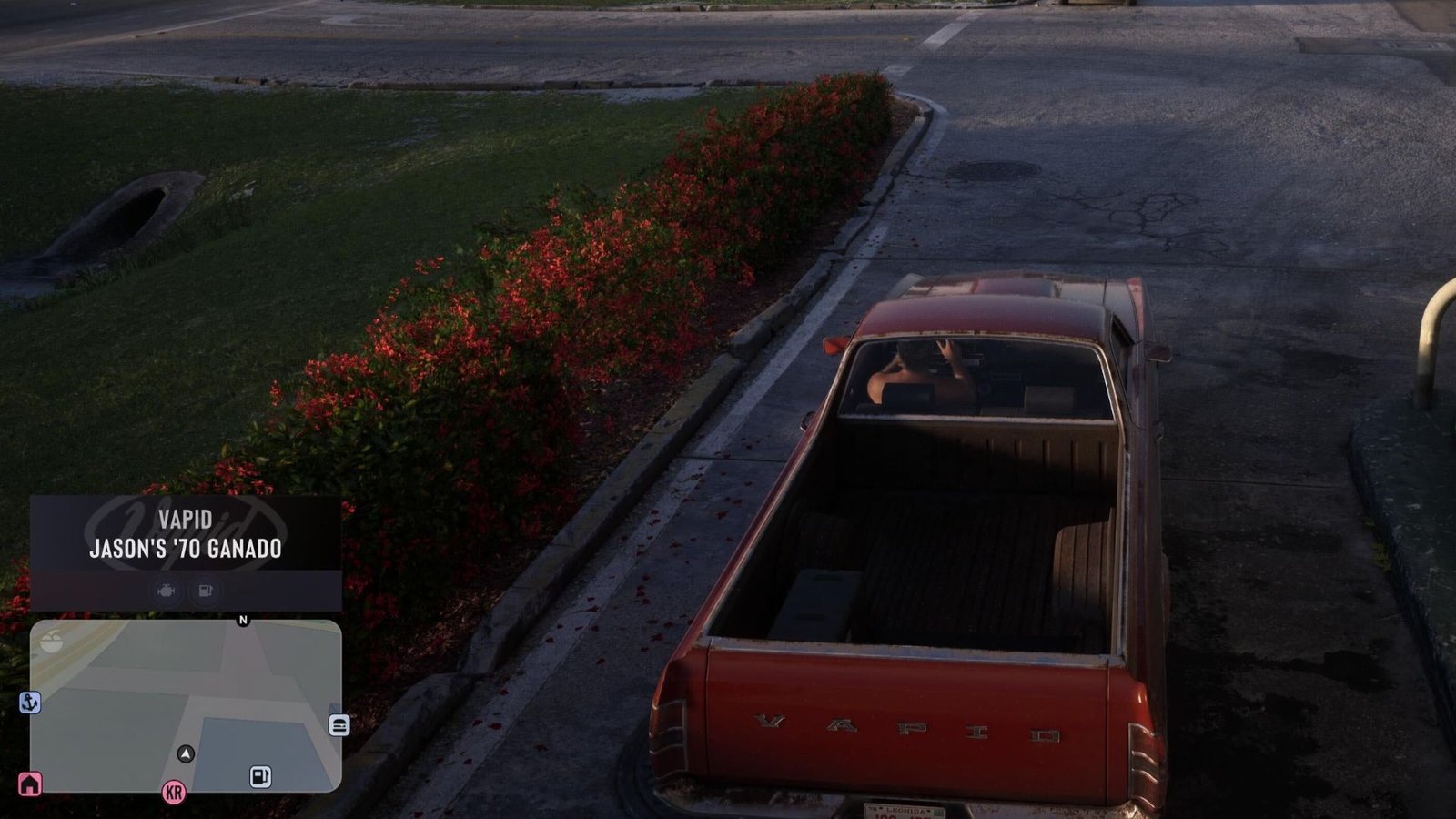
Before you even take control of Jason and Lucia in the opening scenes of GTA 6, you have to make some tweaks to the game settings to ensure that it runs and looks just as you want it to. You’ll be asked to set your GTA 6 navigation experience option, which changes when and how the minimap shows as you explore. You’ll want to make sure the one you pick is right for you.


Best GTA 6 navigation experience option
The three options you can choose between in GTA 6 are:
- On – The minimap will always be on during gameplay, cinematic moments, and cutscenes.
- Dynamic – The game will dynamically choose when to display the minimap, only showing it when it makes sense to. You can also press down on the d-pad to show it.
- Off – The minimap will never display.
Since the GTA 6 map is so big, exploring can be tricky at times. Therefore, you won’t want the minimap to be set to off entirely. That’s a recipe for getting lost over and over again. And since the minimap is quite large in the bottom left of the screen, you’re not going to want it to be on at all times. It’s a bit distracting seeing the minimap during a particularly intense or emotional cutscene.
Therefore, the best navigation experience option to set it to is Dynamic, which will ensure that the minimap is only shown when you actually need it. GTA 6 is quite smart about when it chooses to show it, so you’re unlikely to be wondering where it is.